
SnapKit user guide
SnapKit is a free, open-source screen capture tool for Windows, macOS, and Linux. It captures, annotates, reads text with local OCR, and records video or GIFs.
SnapKit is a free, open-source screen capture tool for Windows, macOS, and Linux. It captures, annotates, reads text from images, and records video—and it runs 100% on your computer: no account, no cloud, and no telemetry.
It's built for people who work with documentation: technical writers, support teams, QA engineers, trainers, and developers who need clear screenshots, step-by-step guides, and short demos every day.
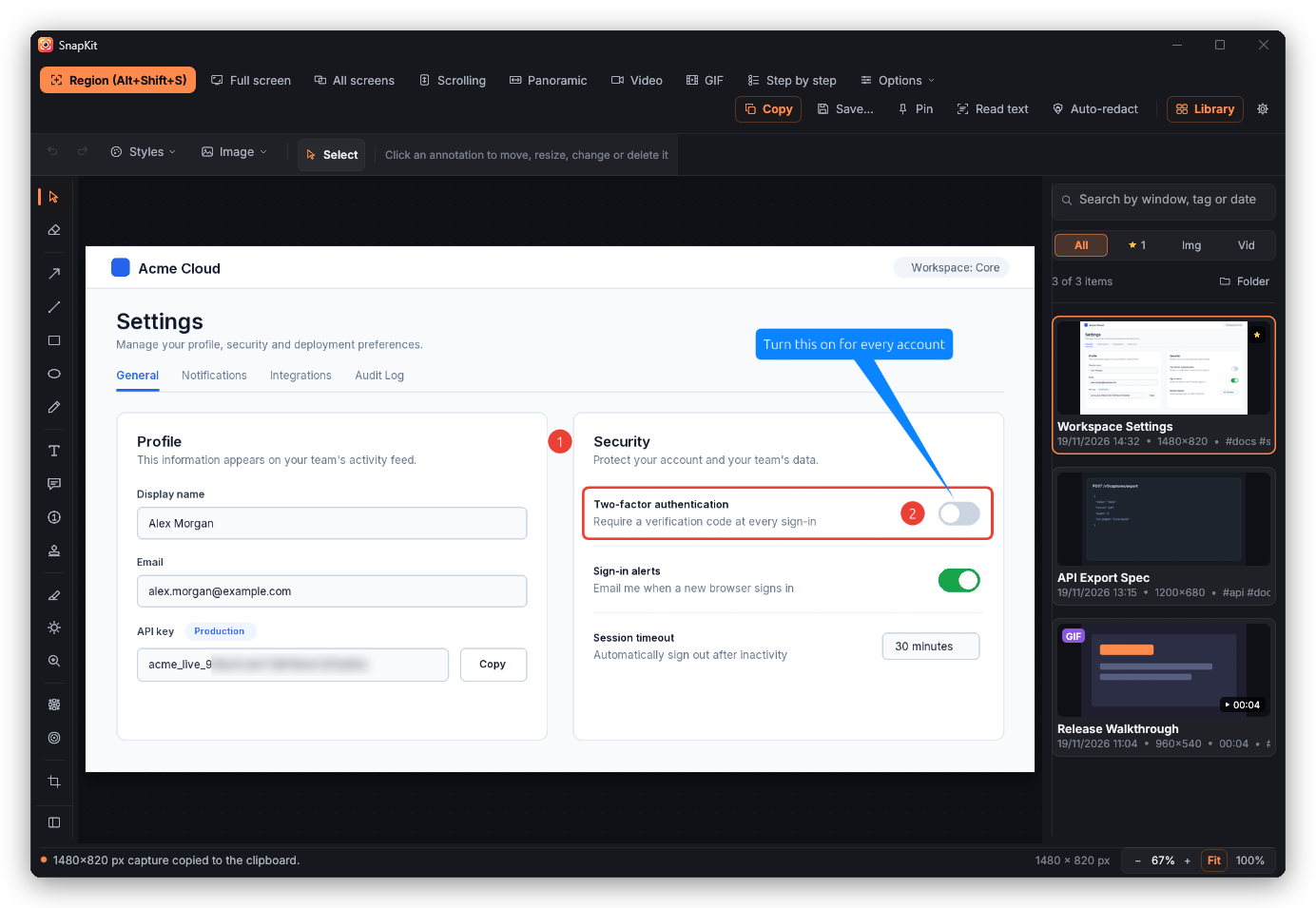
This guide follows the Diátaxis framework. Pick the section that matches what you need right now.
Tutorials
Learn SnapKit from scratch with guided lessons that end with a real result.
How-to guides
Follow short, goal-focused procedures to get a specific task done.
Reference
Look up keyboard shortcuts, editor tools, settings, and file locations.
Explanation
Understand how local OCR, scrolling capture, and editable layers work.
Tutorials
Start here if you're new to SnapKit. Each tutorial takes 5 to 15 minutes.
- Take, annotate, and share your first screenshot
- Create a step-by-step guide for your documentation
- Record a short demo and turn it into a GIF
How-to guides
Get started
Capture
- Capture a region, a window, or the whole screen
- Capture a long page with scrolling capture
- Capture an area you scroll yourself (panoramic)
- Capture menus and tooltips with a delay
Annotate and edit
- Annotate right on the screen with quick annotation
- Point things out with arrows, shapes, and text
- Number the steps of a procedure
- Hide passwords and personal data
- Draw attention with highlights, spotlight, and magnifier
- Change or remove an annotation
- Crop, resize, rotate, and frame an image
- Save your favorite tool settings as styles
Text, video, and output
- Copy text from an image (OCR)
- Record the screen as video or GIF
- Trim a recording and convert it to GIF
- Copy, save, and reuse captures
- Find, reopen, and delete captures in the library
Help
Reference
- Keyboard shortcuts
- Capture modes
- Editor tools and options
- Preferences
- Files and folders
- Command-line options
- System requirements and limits