The screen capture tool for people who write documentation
Capture, annotate right on your screen, extract text with local OCR, and record MP4s or GIFs. Free, open source, and 100% local.
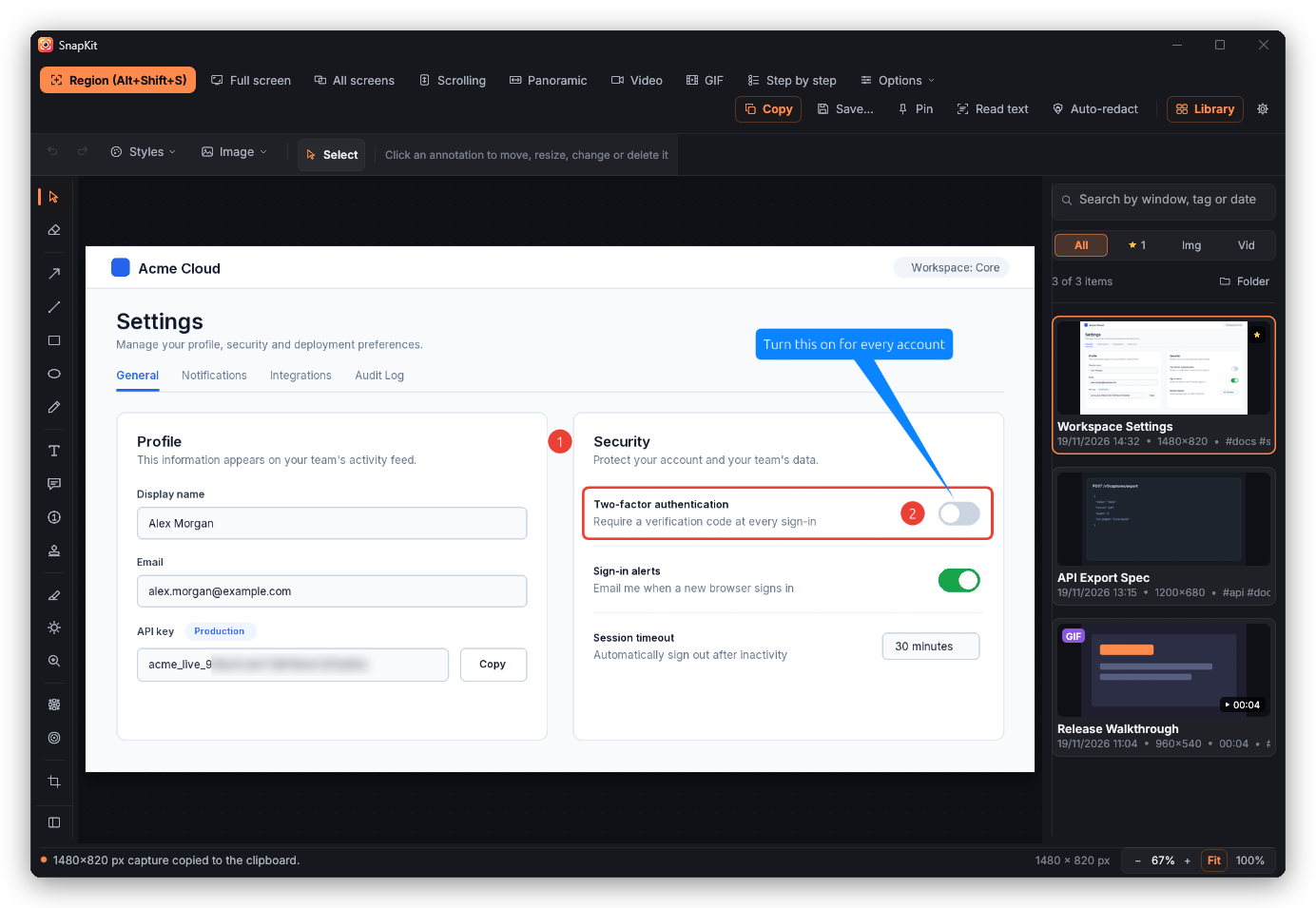
Annotate without leaving your screen
Press Alt + Shift + S, drag over what you need, add arrows or blur, and press Enter. The annotated image lands straight on your clipboard.
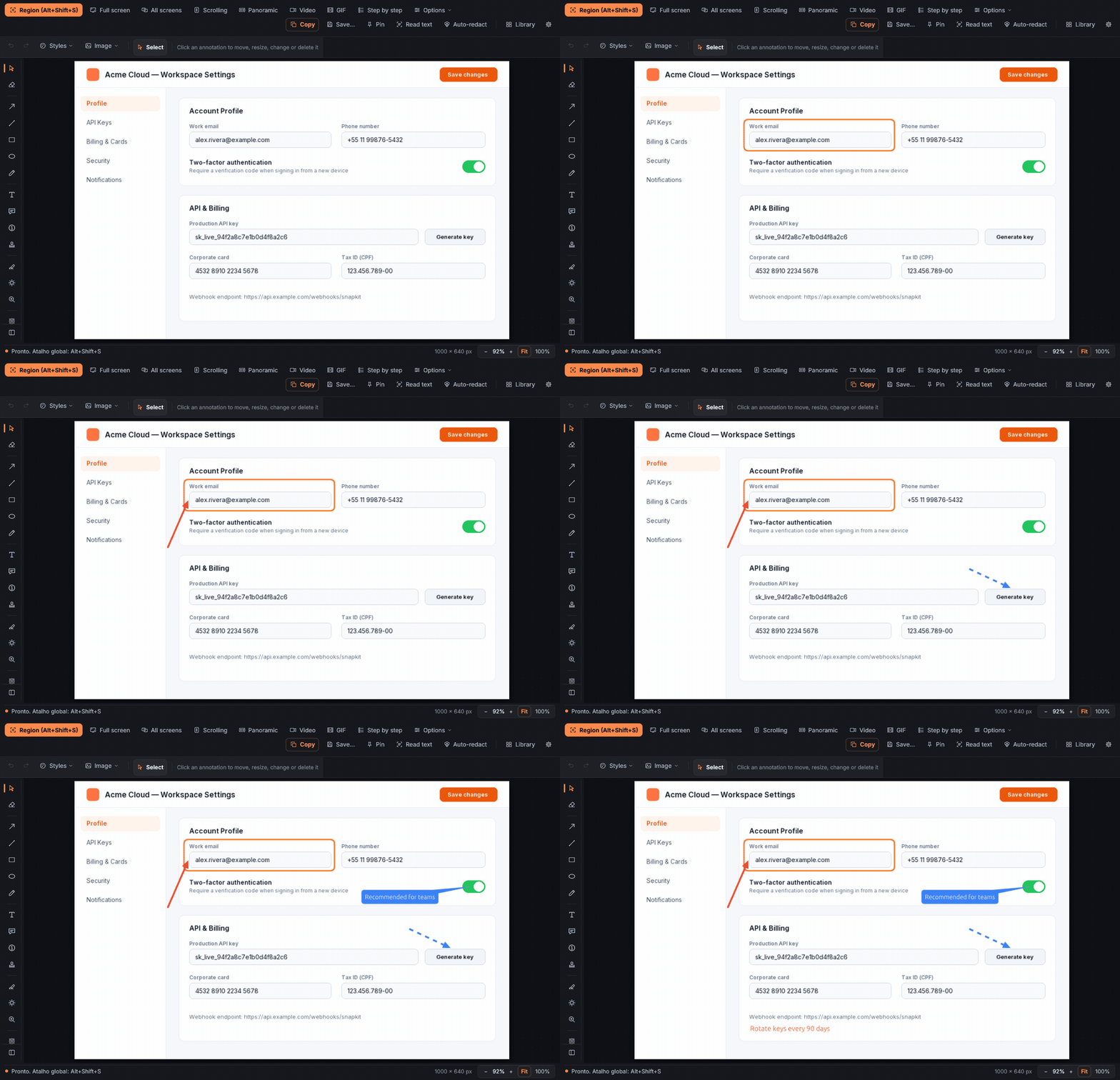
See every tool in action
Real animated demos of SnapKit annotating, redacting, magnifying, framing, and switching themes.
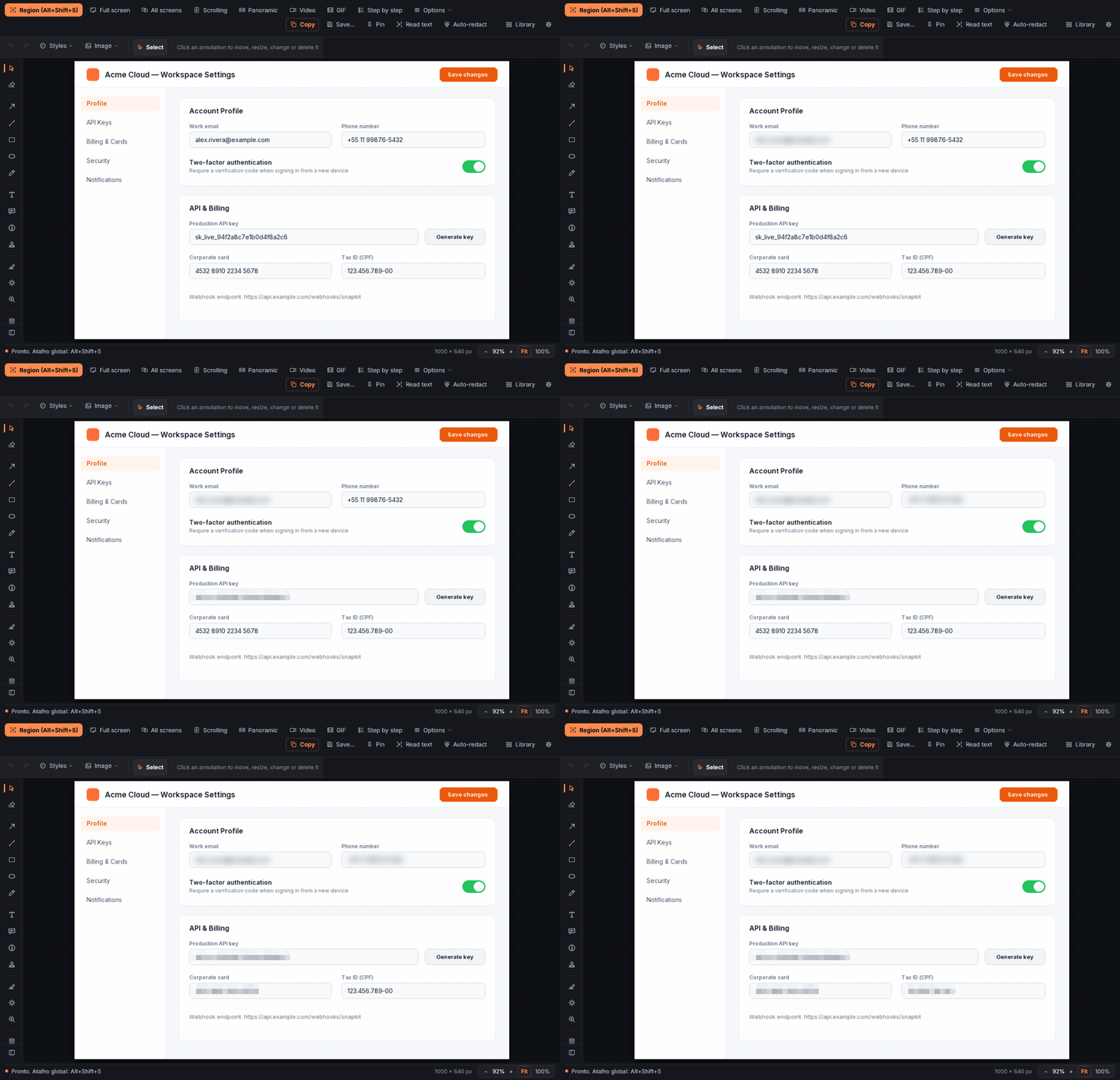
Hide sensitive data
Blur or pixelate emails, API keys, cards, and IDs with one click or drag.
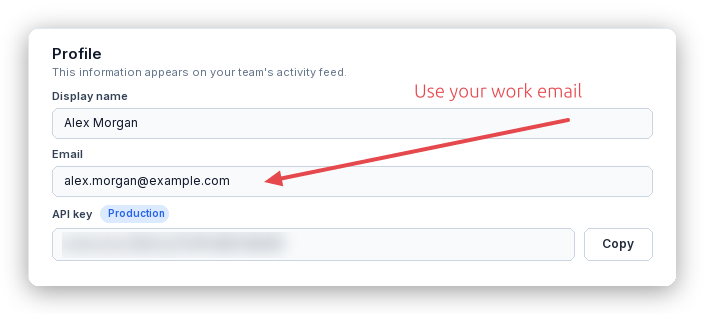
Arrows, shapes & callouts
Point things out with solid or dashed arrows, rounded rectangles, callouts, and labels.
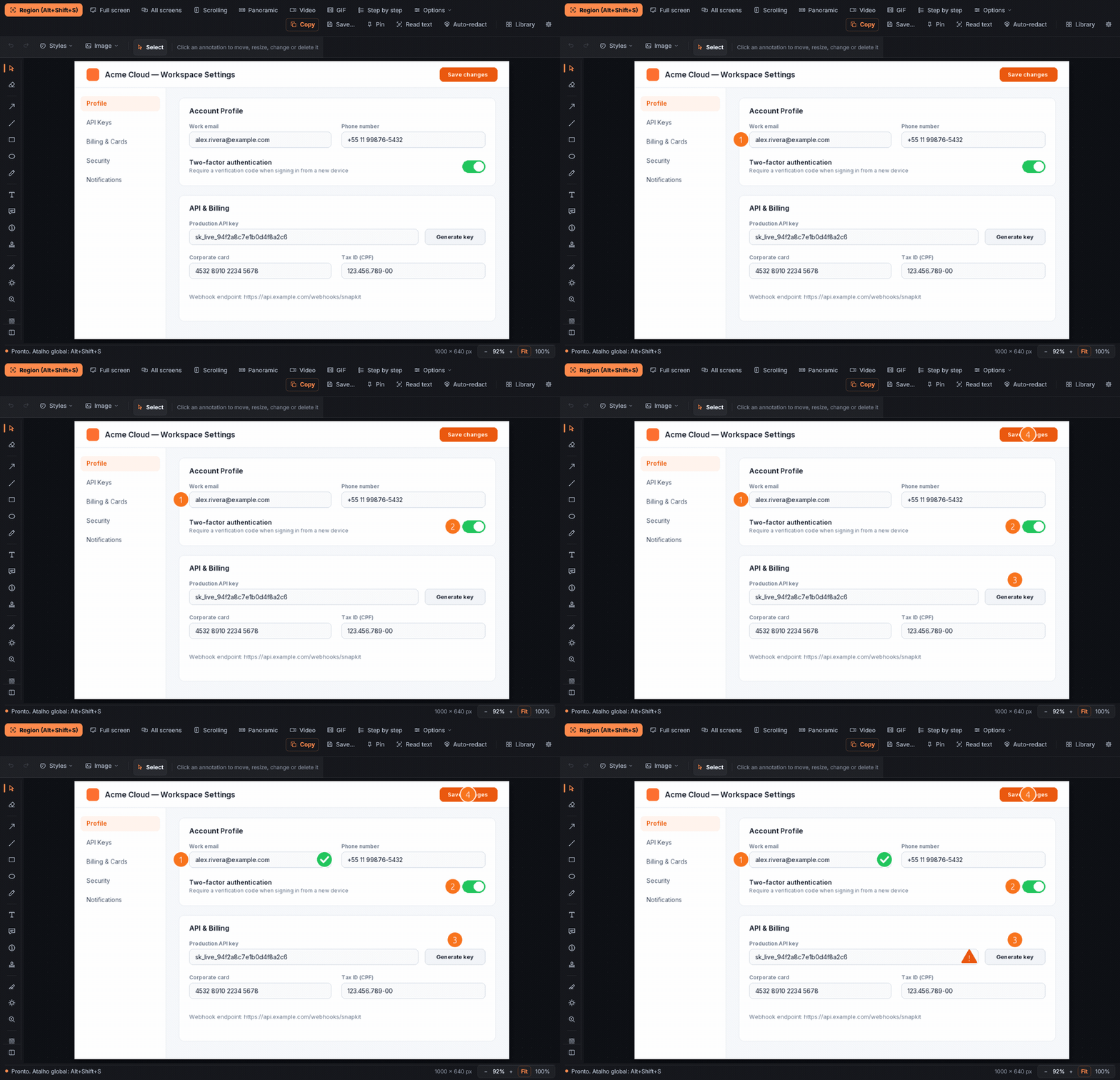
Numbered steps & stamps
Number procedures automatically (1, 2, 3...) and place check or warning stamps.
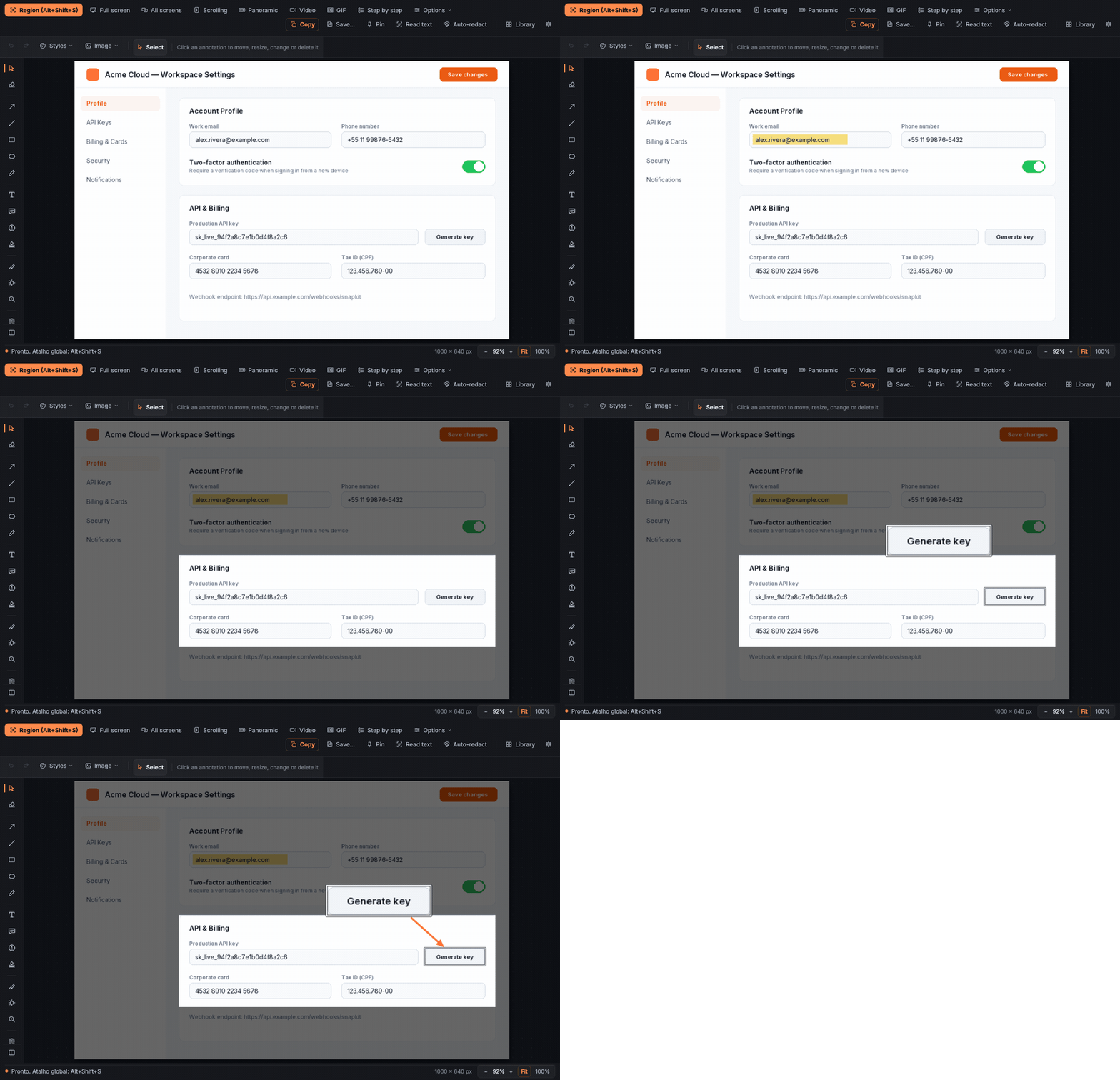
Highlight, spotlight & magnifier
Combine translucent highlighter, dimmed spotlight, and a crisp magnifier callout.
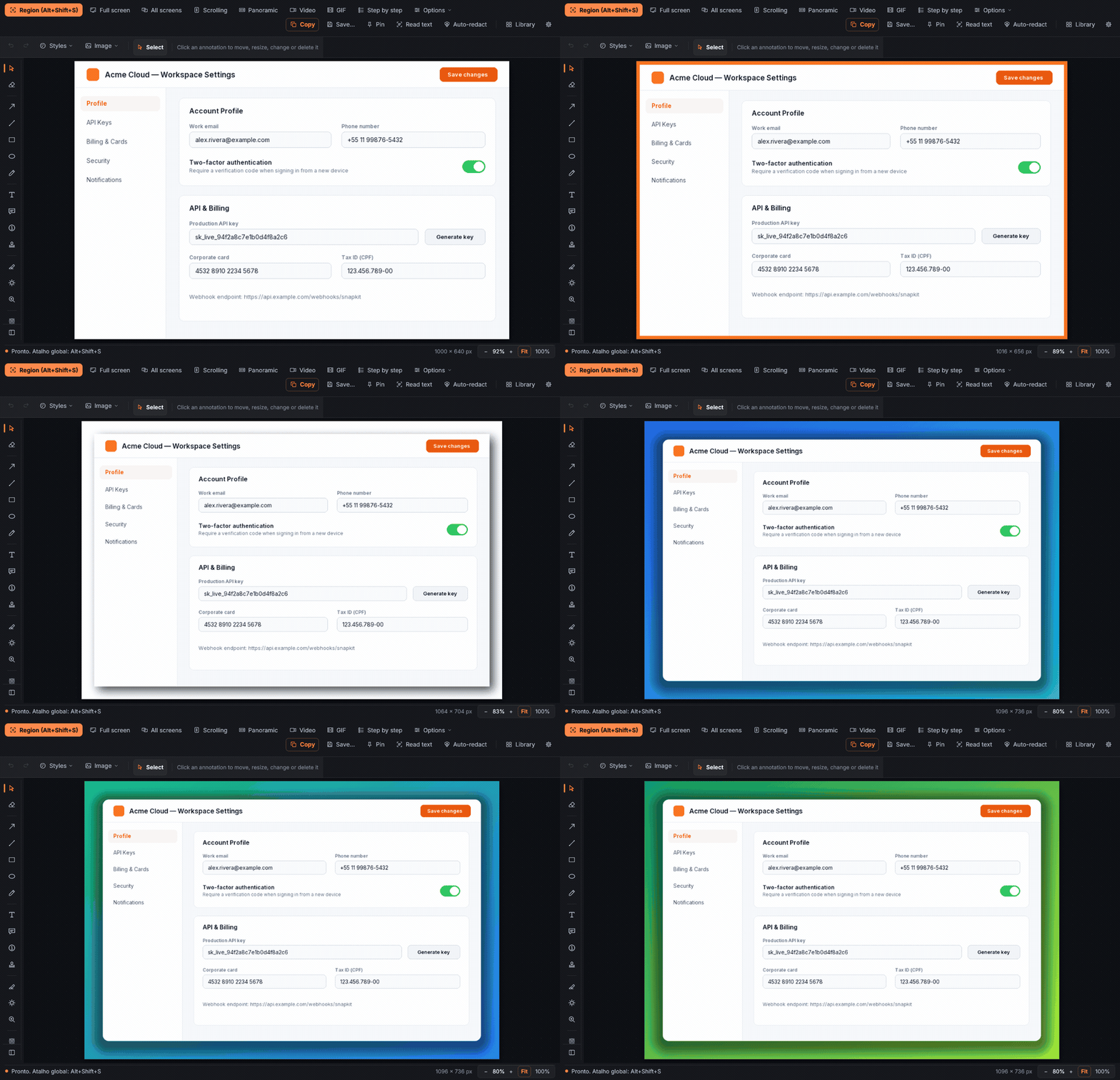
Beautifier & framing
Add borders, drop shadows, and gradient mockup backdrops in one click.
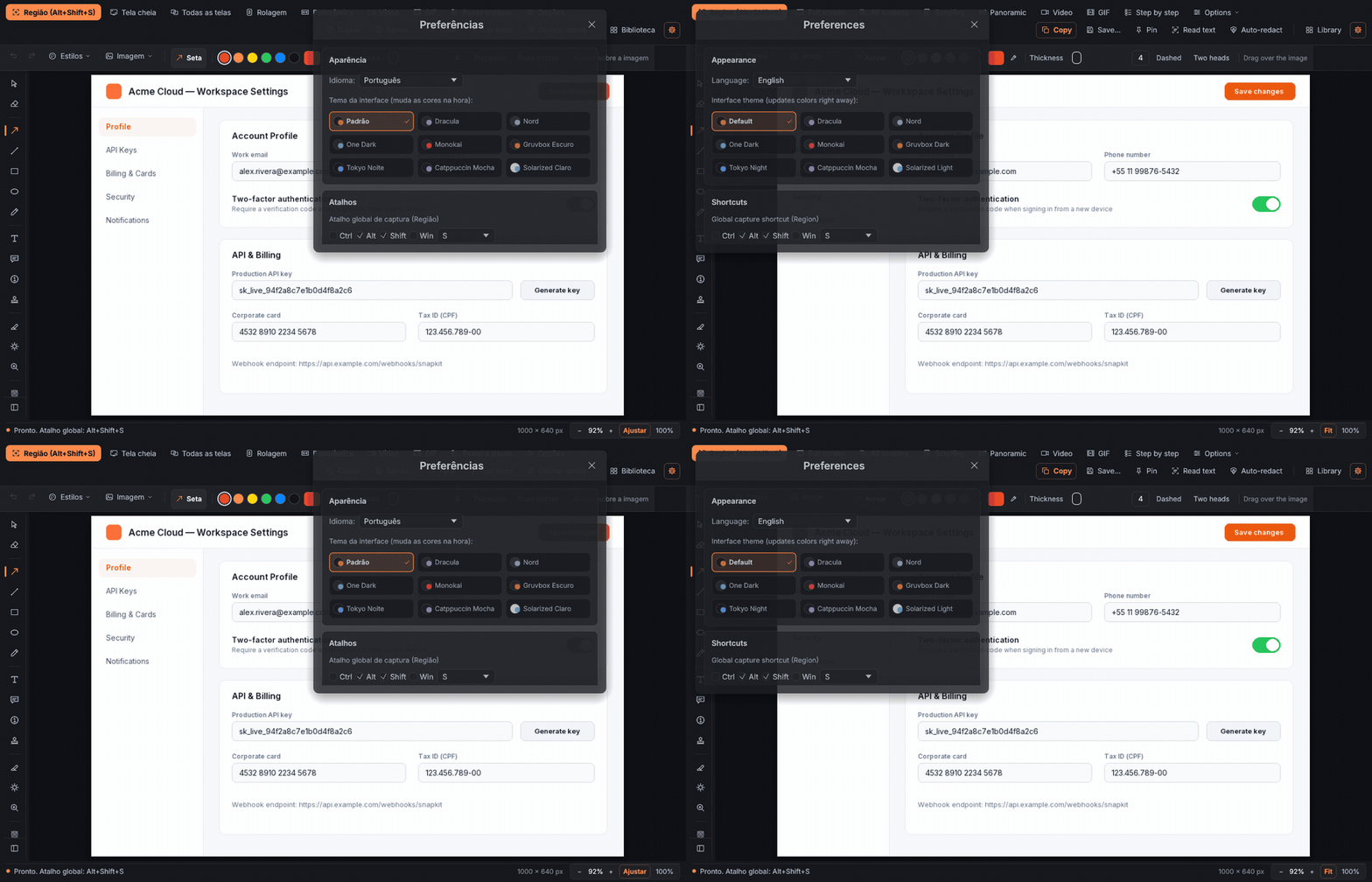
9 themes & bilingual UI
Switch between 9 color palettes and toggle English and Portuguese instantly.
Why SnapKit
Designed for technical writing, support teams, QA engineers, and developers.
100% local and private
Capture, annotation, OCR, and video encoding run on your computer. No account, no cloud, and no telemetry.
Free and open source (MIT)
No subscription, no Pro tier, no watermark, and no ads. Use it freely at home and at work.
Lightweight native Rust
One native app for Windows, macOS, and Linux. Around 100 MB idle memory, with no Electron runtime.
Built for documentation
Quick annotation, numbered steps, scrolling capture, indentation-preserving OCR, and GIFs for pull requests.
Explore the documentation
Organized with the Diátaxis framework and written following the Microsoft Writing Style Guide.
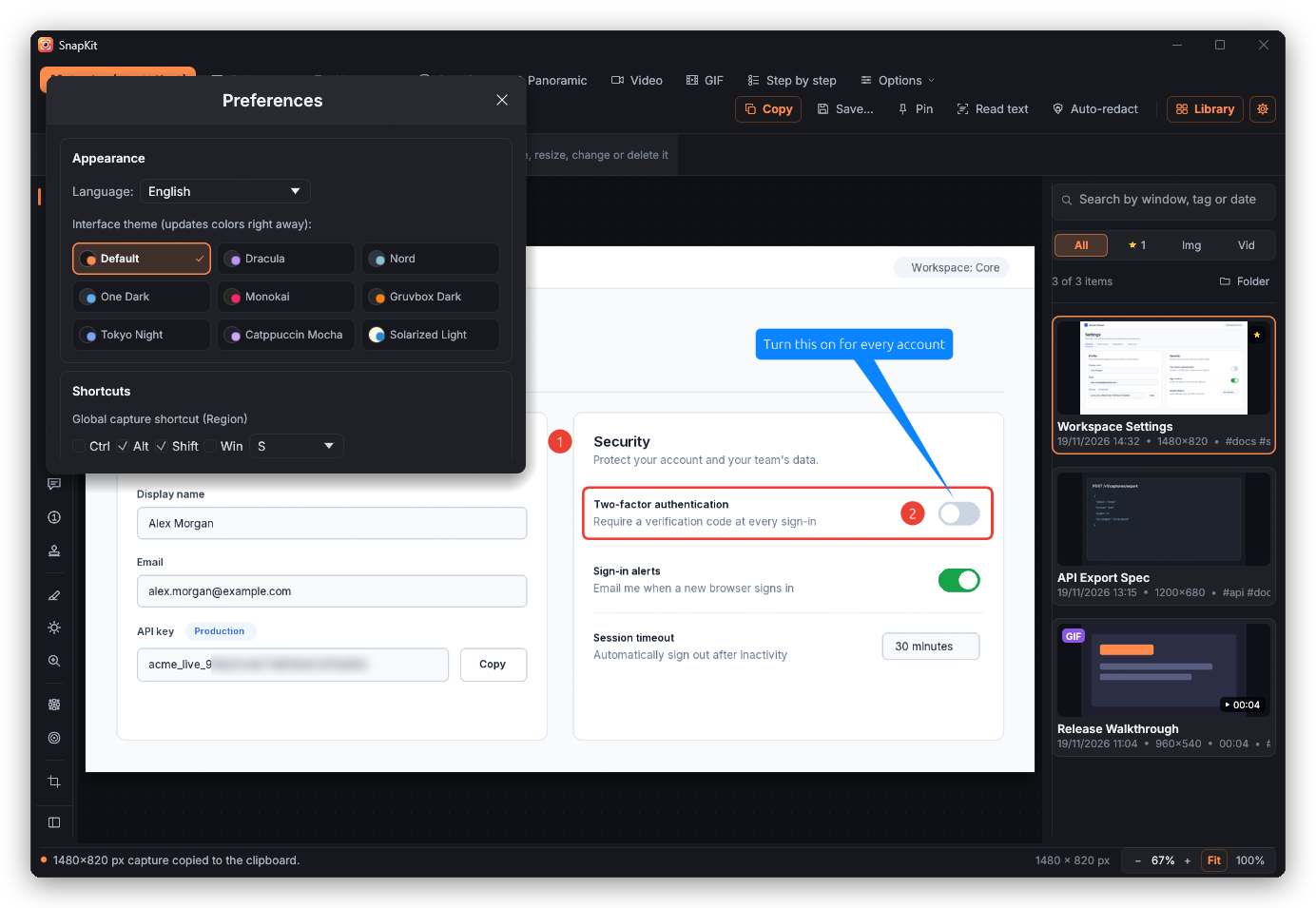
9 themes and bilingual interface
Pick from 9 code-editor-inspired palettes, customize global shortcuts, and switch the interface between English and Portuguese at any time.
Customize themes and shortcuts →Frequently asked questions
Is SnapKit really free?
Yes. SnapKit is released under the MIT License. There is no paid tier, no trial, and no feature held back.
Does SnapKit send anything over the internet?
No. There is no telemetry, no account, and no cloud upload. The only optional connection checks GitHub for updates.
Where are my captures saved?
Screenshots are saved as PNG files in Pictures/SnapKit, and recordings go to Videos/SnapKit (Movies/SnapKit on macOS).
Does it work on Windows, macOS, and Linux?
Yes. Version 0.8.0 ships native packages for Windows (10/11 x64), macOS (12+ Universal), and Linux (x86_64 X11 and Wayland).